How To Allow The Installation of 3rd Party Apps on Amazon Fire TV(2019)
- Published November 2019
- Updated November 2019
Written for Kodi 18 “Leia”. Menus and add-on sources may have changed since.
The below guide will show how to jailbreak the lastest version of Amazon Fire Stick (as of November 2019). This process has been broken down into 3 phases to help simplify the process.
Phase 1 - Installing Downloader App
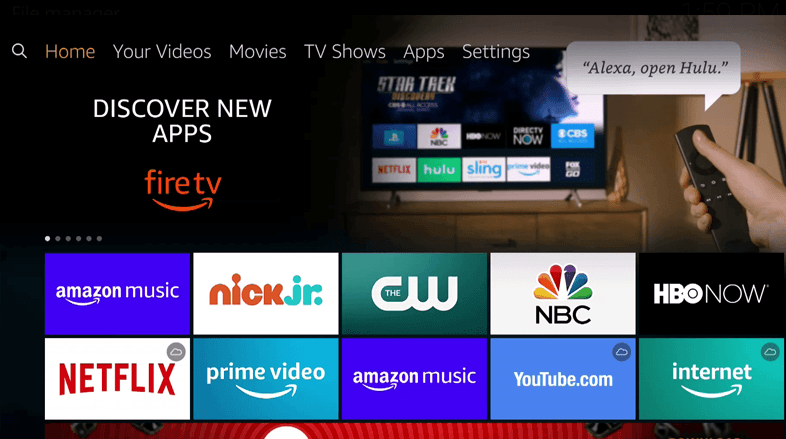
From the Home screen select the setting option in the top menu.
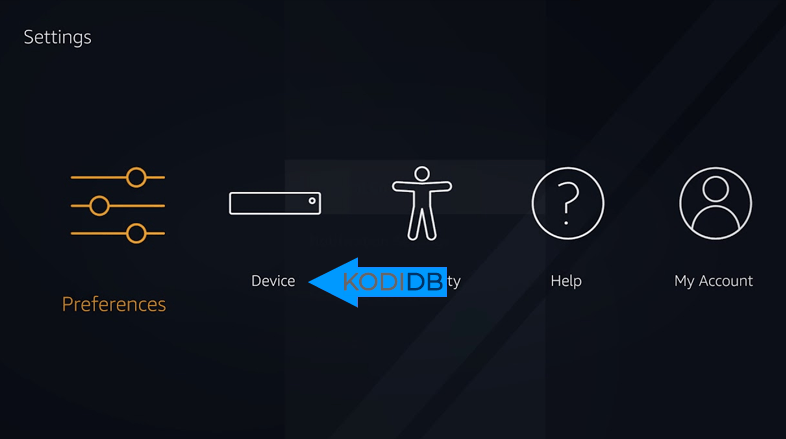
Within the settings menu select the Device icon ( Or My Fire TV)
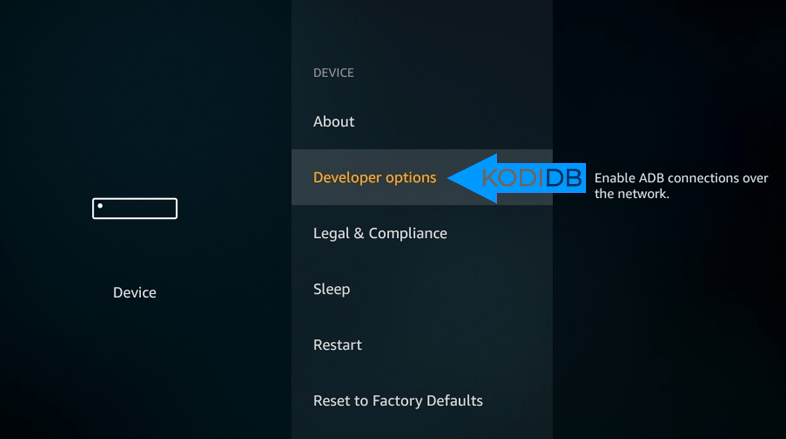
In this sub menu scroll till you find ‘Developer Options’
In Developer Options select ‘Apps from Unknown Sources’
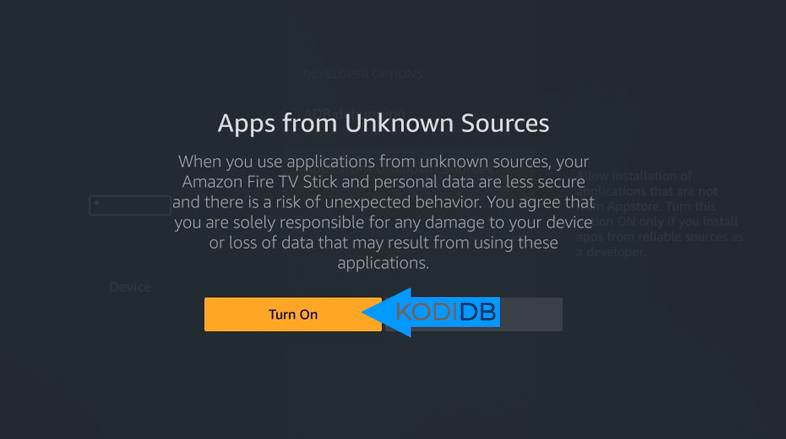
Switch this option on by clicking ‘Turn On’